 VetVitae · now
Food
What your pet eats, how much, and what they ate before. Switch foods with an overlap, so whoever feeds them knows to mix.
Vaccines, medicines, vet visits, exams and weigh-ins in one record per pet, whether that is a dog, a budgie, a corn snake or a tank of tetras. Get a reminder before something is due, and share the whole history with your vet in one link.
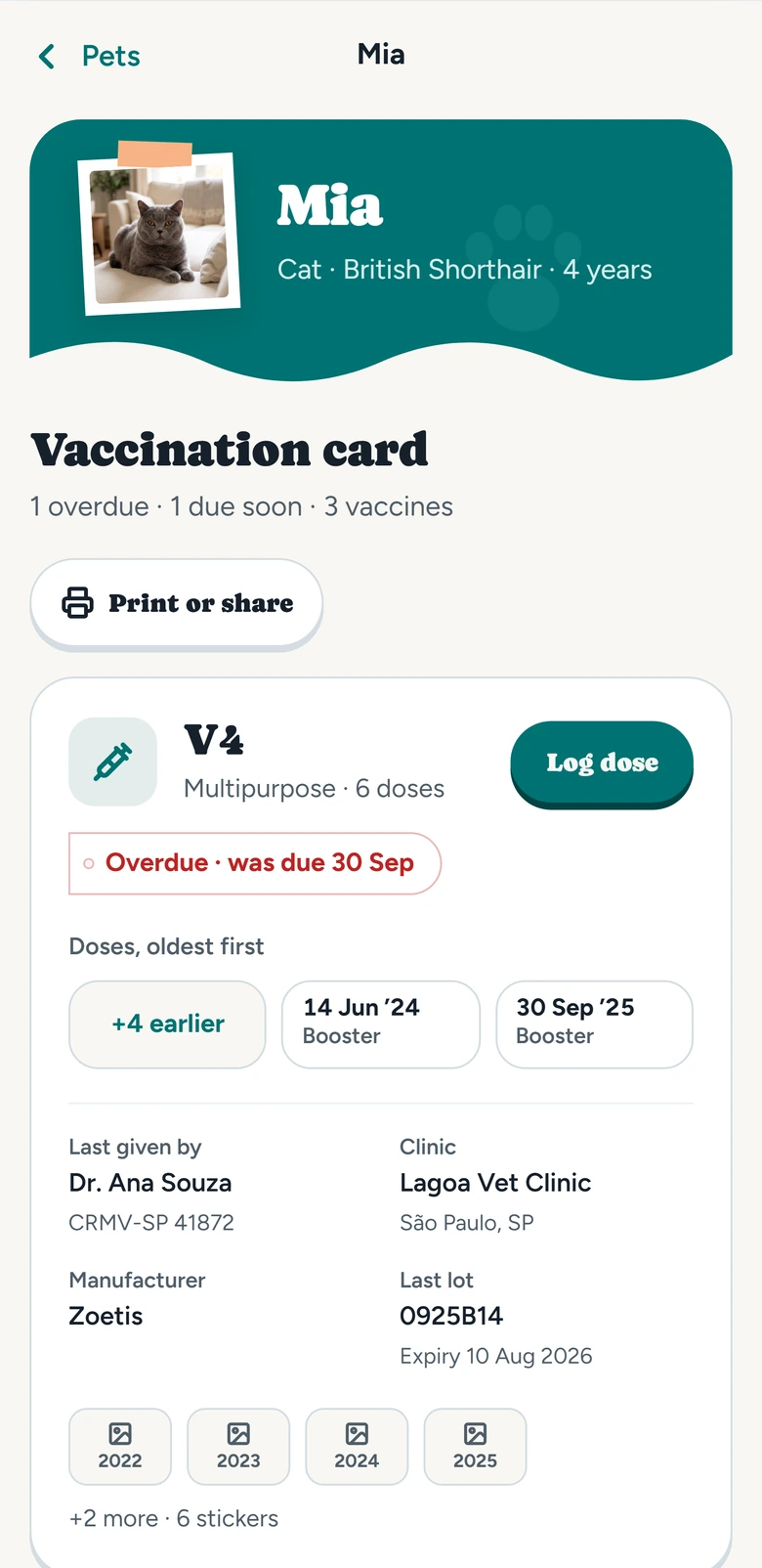
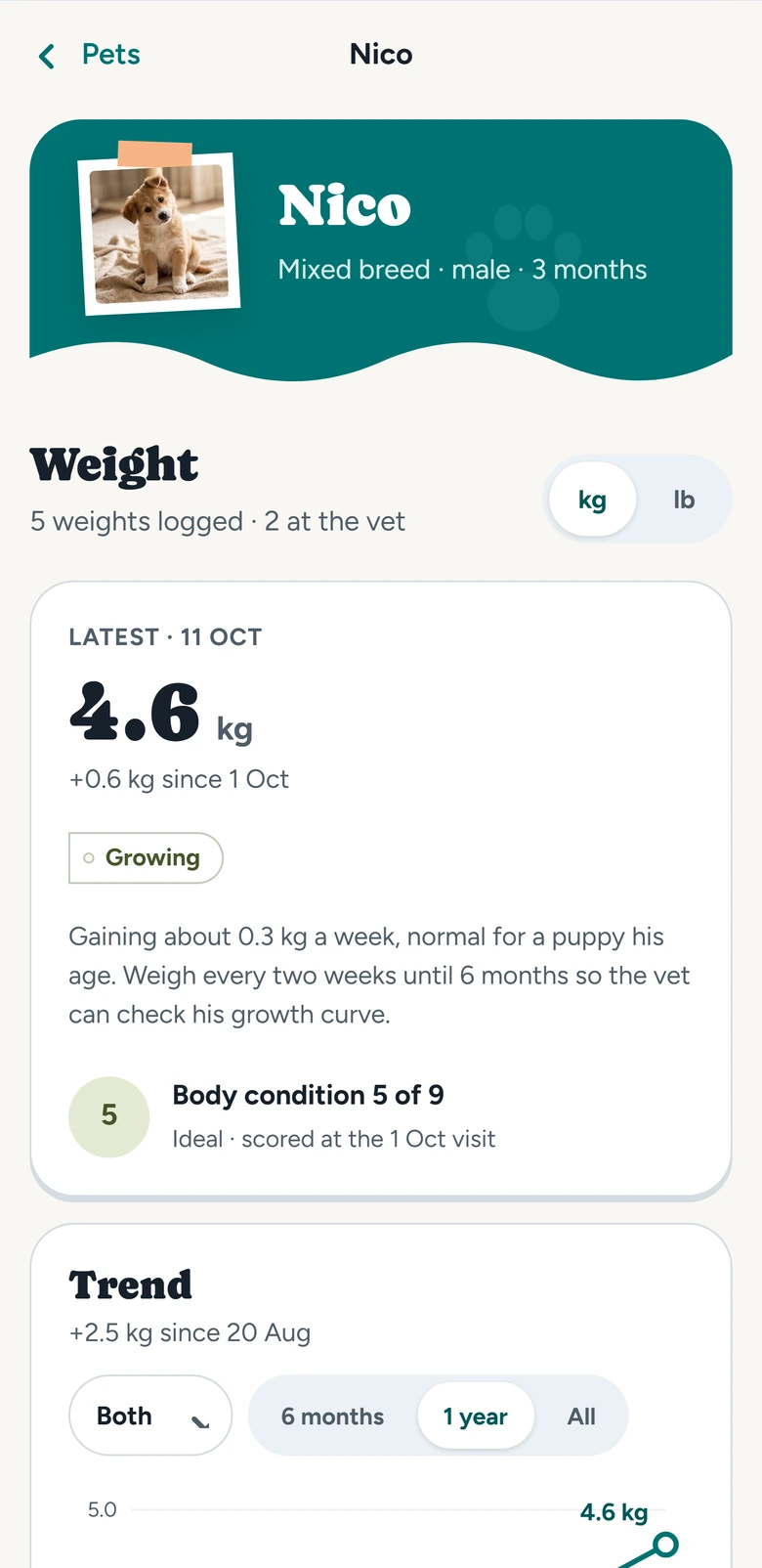
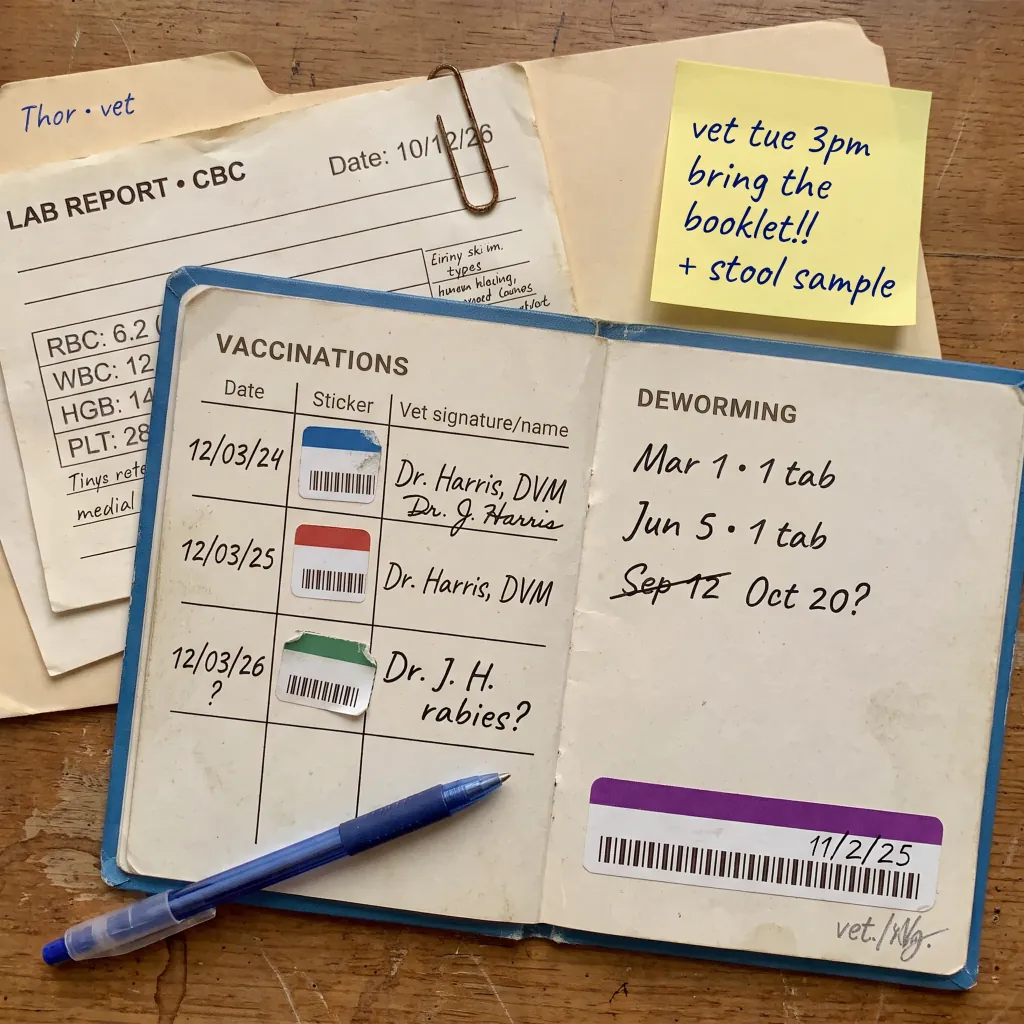
That works until the vet asks when the last booster was, or what dose you gave in March. VetVitae keeps all of it in one record per pet, in date order.
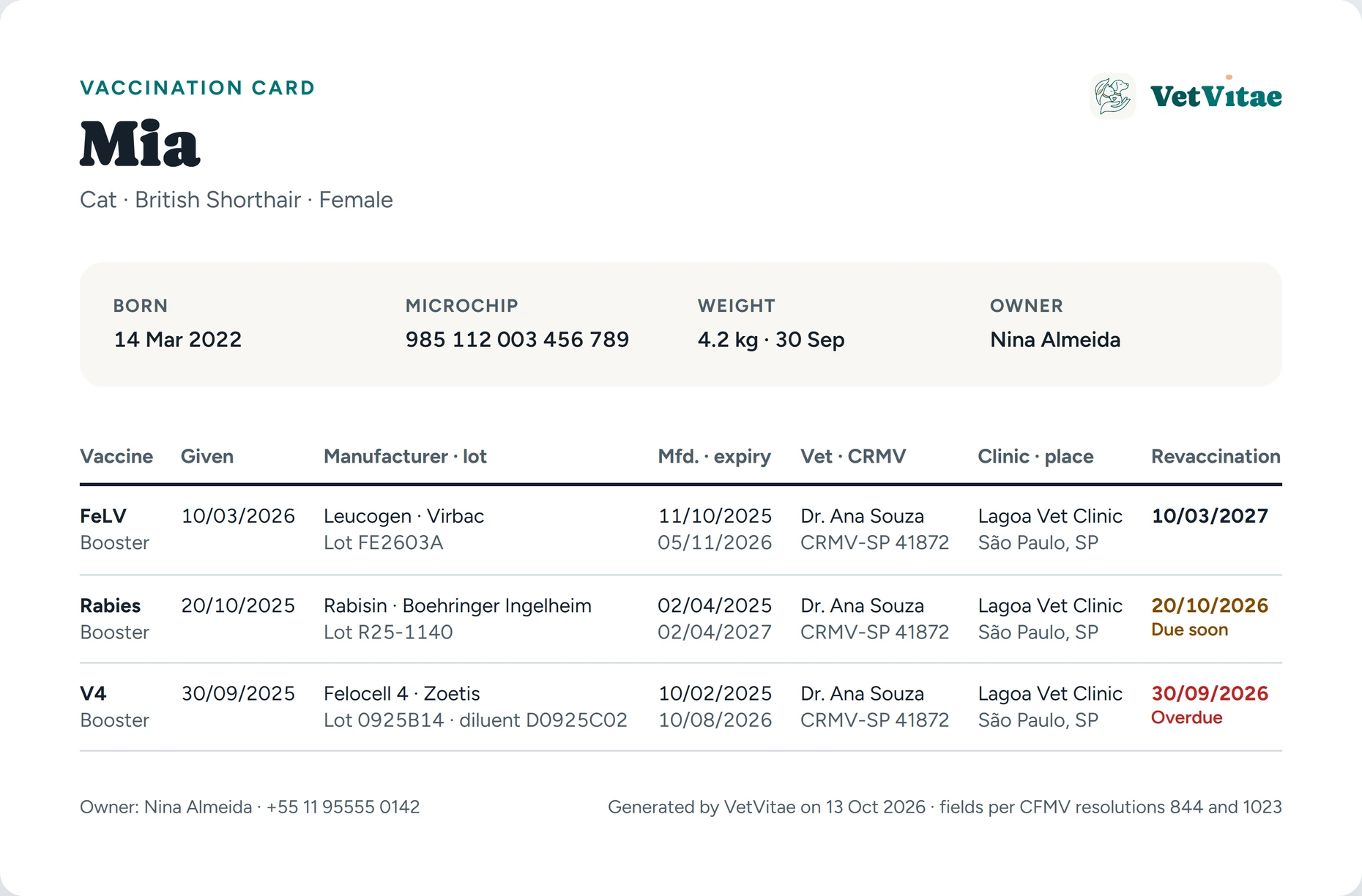
Log the vaccine, brand and lot, and take a photo of the sticker. The card lists every dose in order and shows when the next one is due, and you get a reminder before it is.
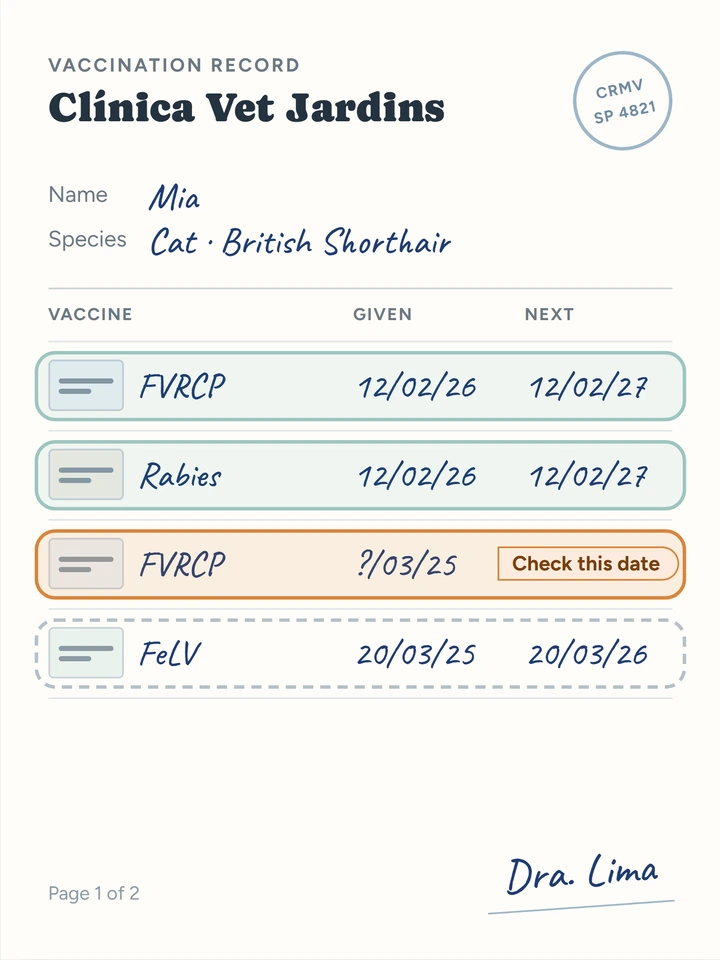
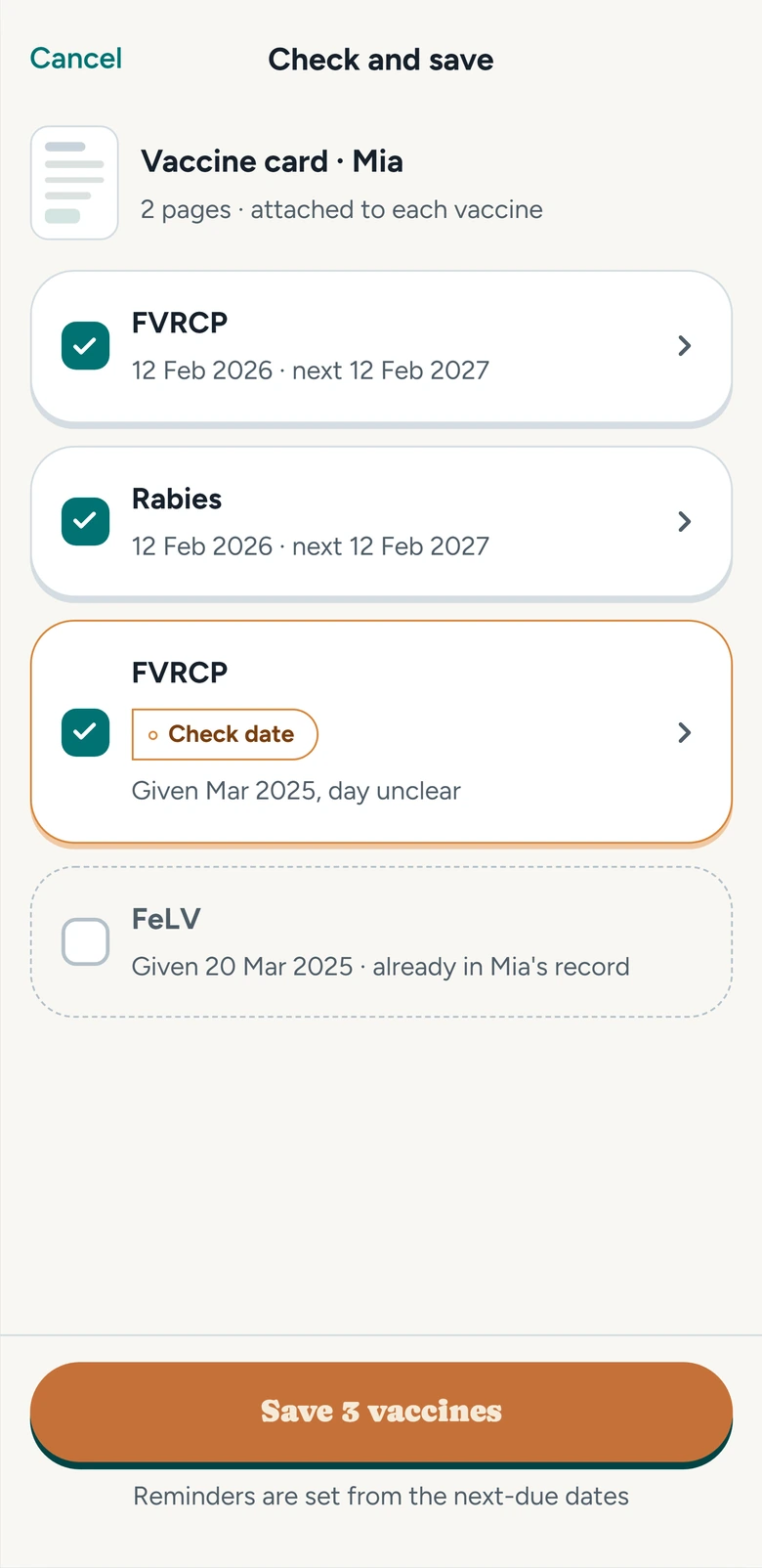
Photograph a vaccination card, a prescription or an exam result, or pick a PDF. VetVitae reads it, works out what it is and fills in the records. You check them and tap Save.
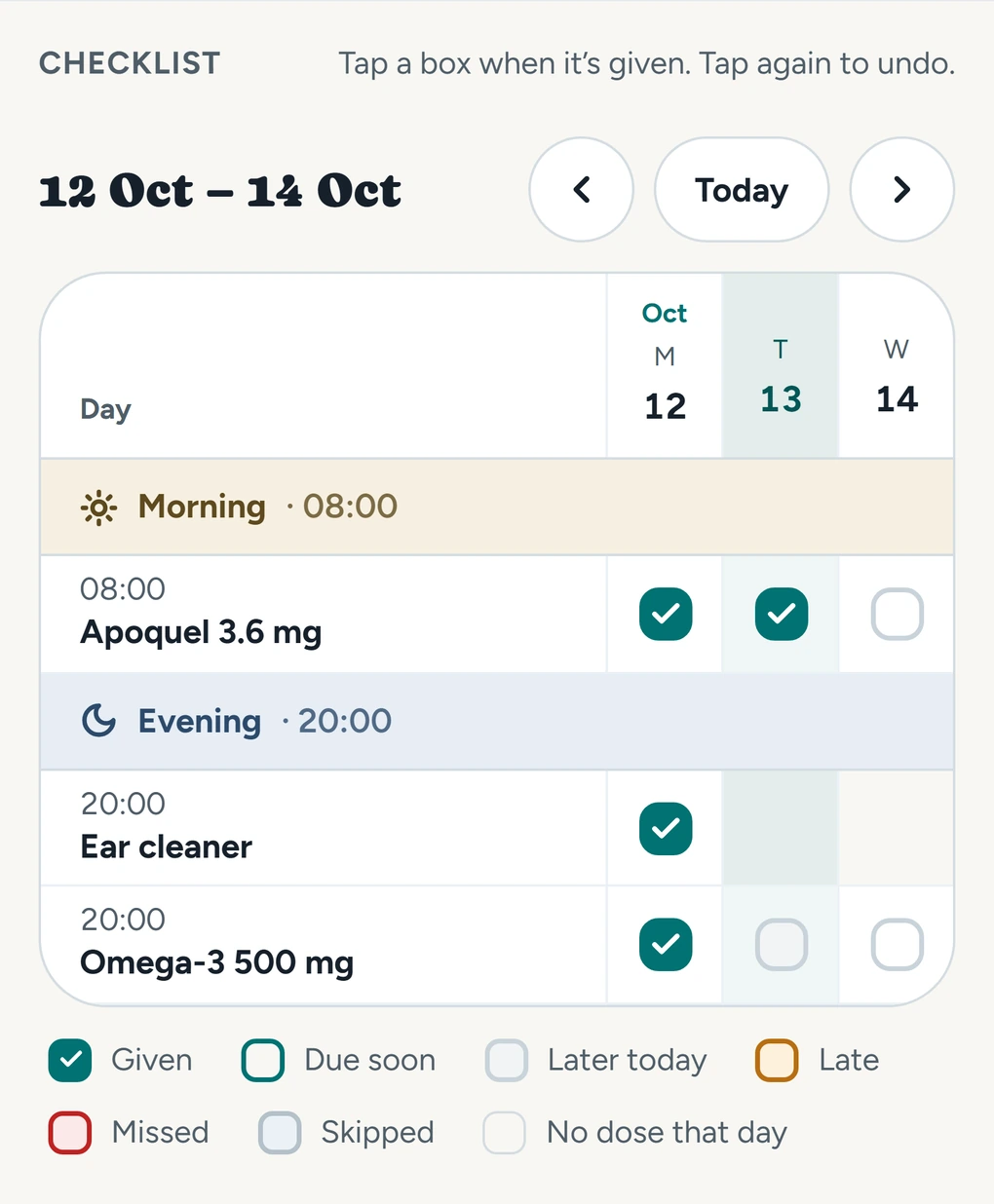
Add a medicine with its dose times. The app reminds you when it's time, and you tap given or skipped. A weekly checklist shows every dose, and where the course stands, like day 3 of 7.
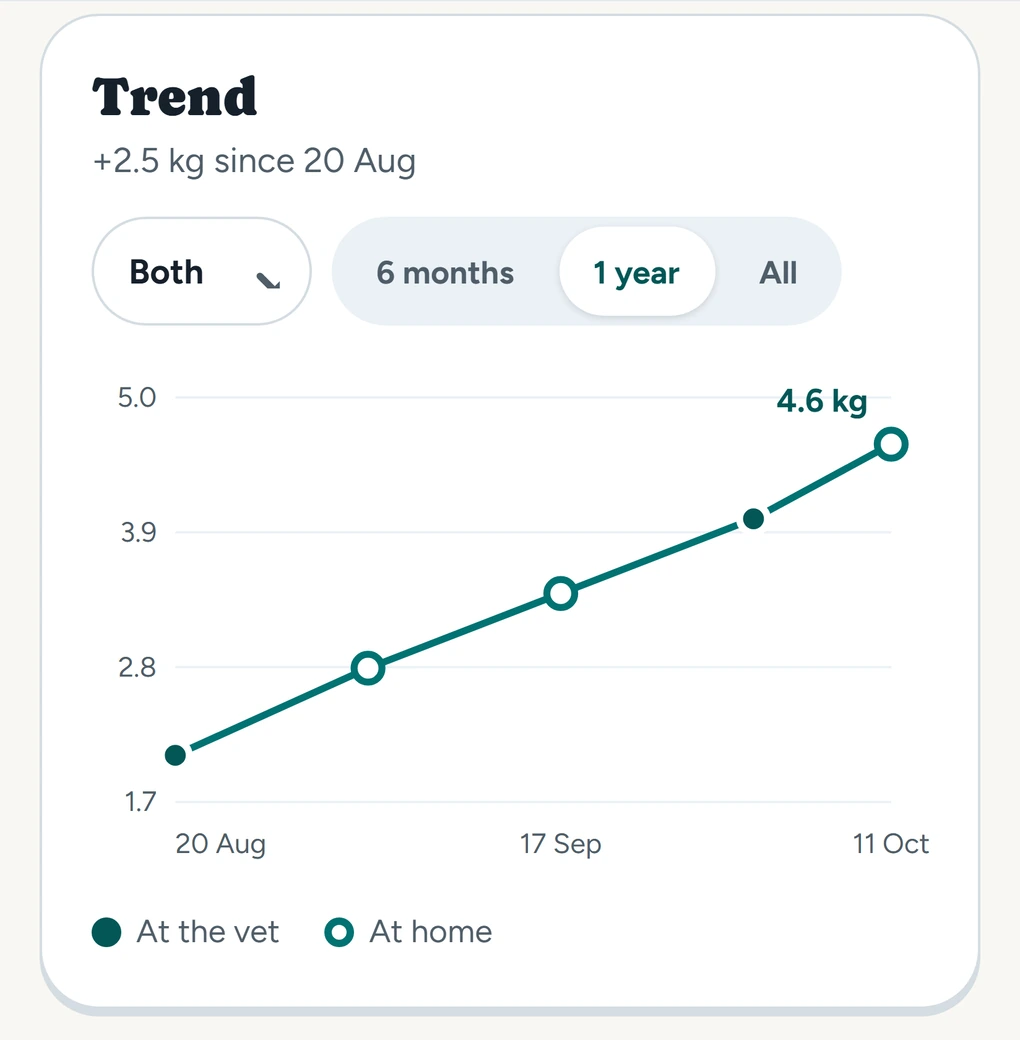
Log a weigh-in in a few seconds, in kg or lb, or in grams for small animals, and see the trend on a chart.
Log the appointment, add the exams the vet asked for, and attach the PDFs and photos. Exams you're still waiting on show as pending until the result comes in.
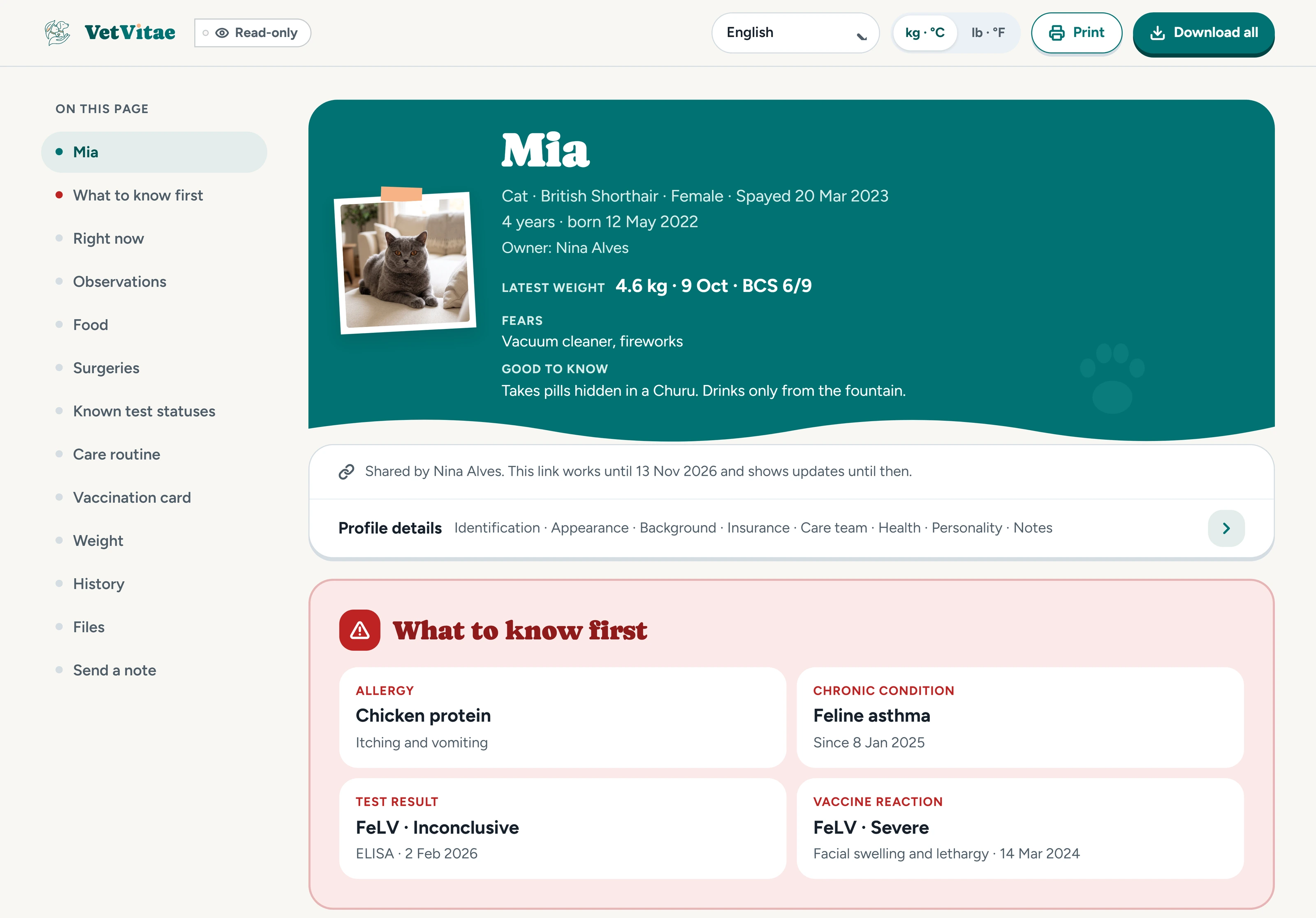
Keep test statuses like FIV, FeLV or leishmaniasis too. A positive or inconclusive result shows up first on the page your vet sees.
Appointments and exams get a reminder too, as many days ahead as you pick, and a note before an exam that needs fasting.
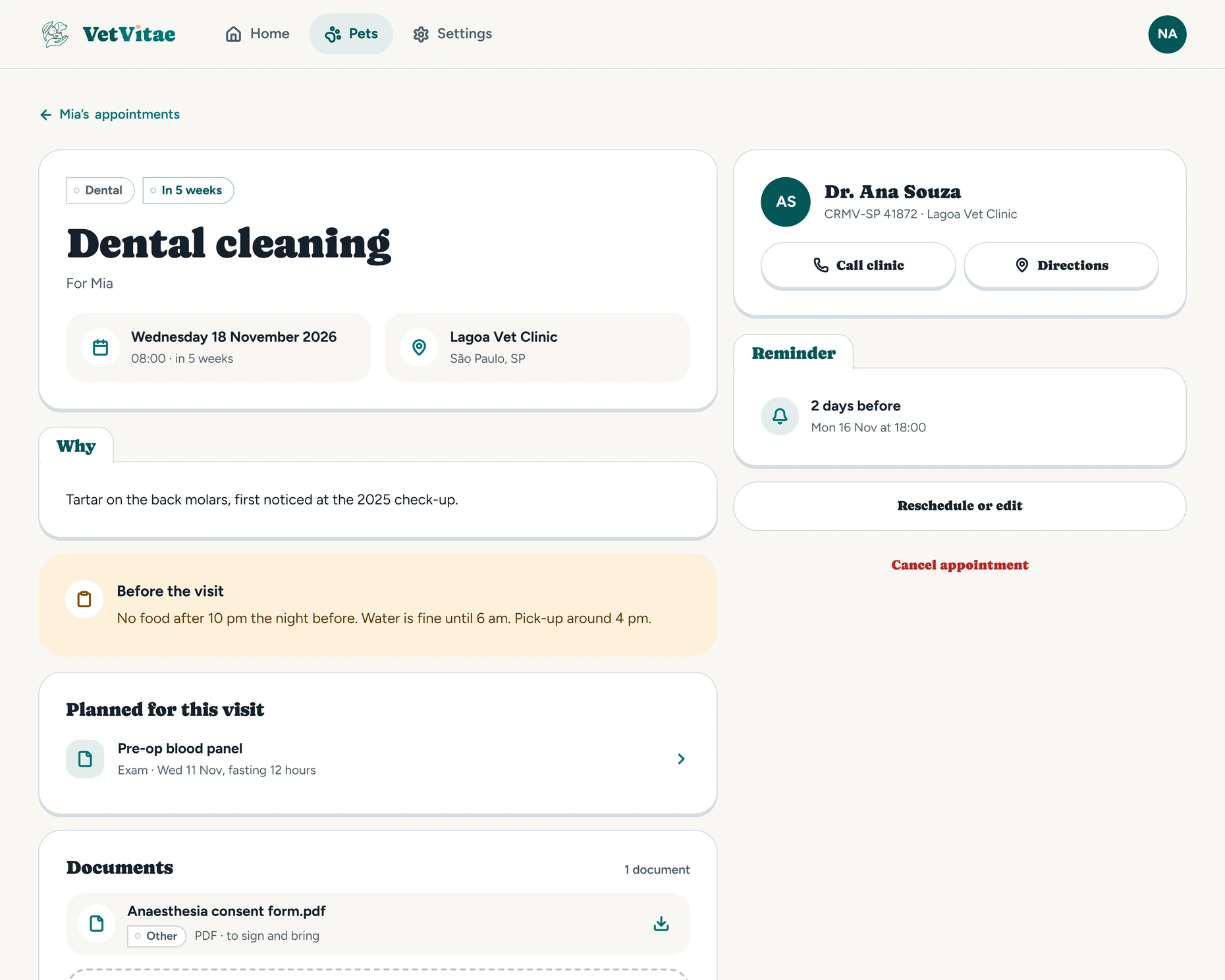
A walk through the app: the vaccine card with the next dose dated, a scanned document filling the entries, a reminder and the link you send your vet.
What your pet eats, how much, and what they ate before. Switch foods with an overlap, so whoever feeds them knows to mix.
Baths, nails and teeth, plus daily habits like walks and training. Set how often, get a reminder, and keep a streak going.
Note a symptom or a change with the date and time, so you can tell the vet exactly when it started.
Every entry for a pet in date order, with search and filters.
The home screen lists what's due today and what's overdue across all your pets.
On iPhone and Android, a widget on your home screen shows what needs you today. Tap it and the app opens on that task.
Invite a co-owner to a pet. You both see and change the same record and get the same reminders. Vet, clinic and groomer contacts can be shared too.
A PDF of the whole record, every file in its original form, and the data as JSON and CSV for other apps.
Rehoming a pet? Send a handover link and the new family gets the whole history. You can keep a read-only copy.
Your vet opens a read-only page that starts with what to know first: allergies, chronic conditions, test results and vaccine reactions. Then current medicines, results still to come, food, care routine, the vaccination card with sticker photos, the weight chart and the full history with every file. No account needed.
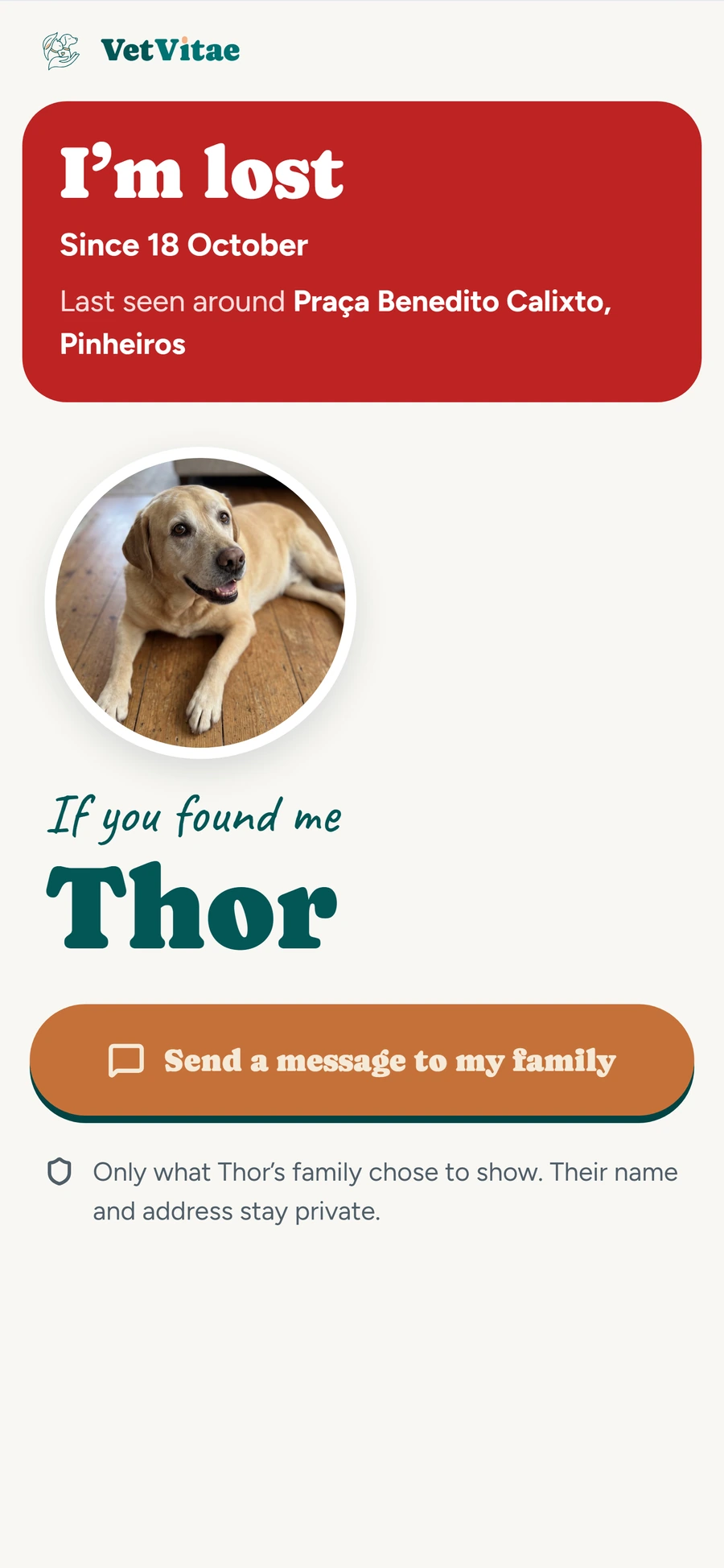
Put a QR tag on the collar. Whoever finds your pet scans it and sends you a message, without seeing your name, your address or your pet's history. You choose what else the page shows.
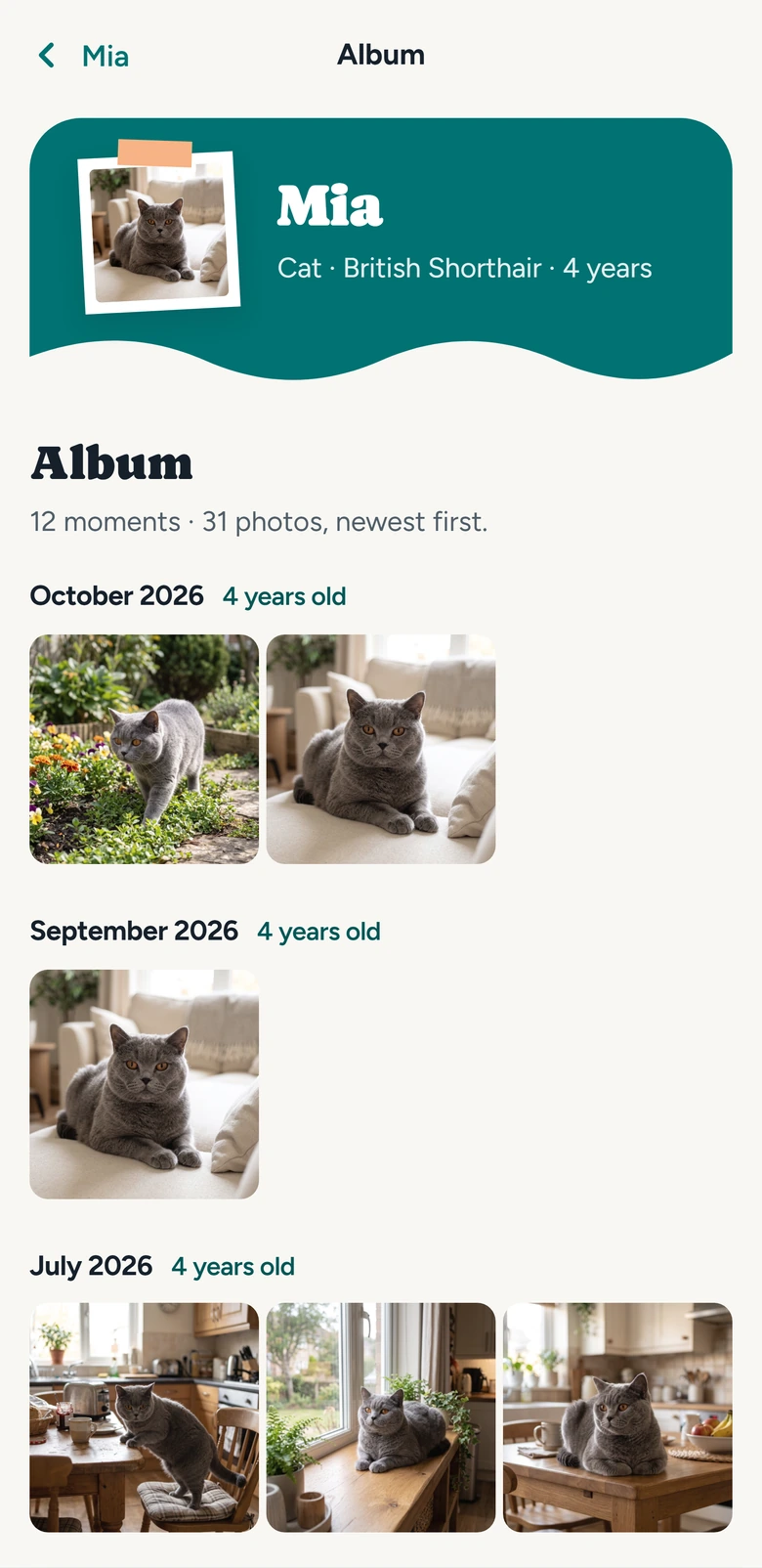
Add the photos that aren't about health: the first day home, the new bed, the beach. On this day brings them back a year later.
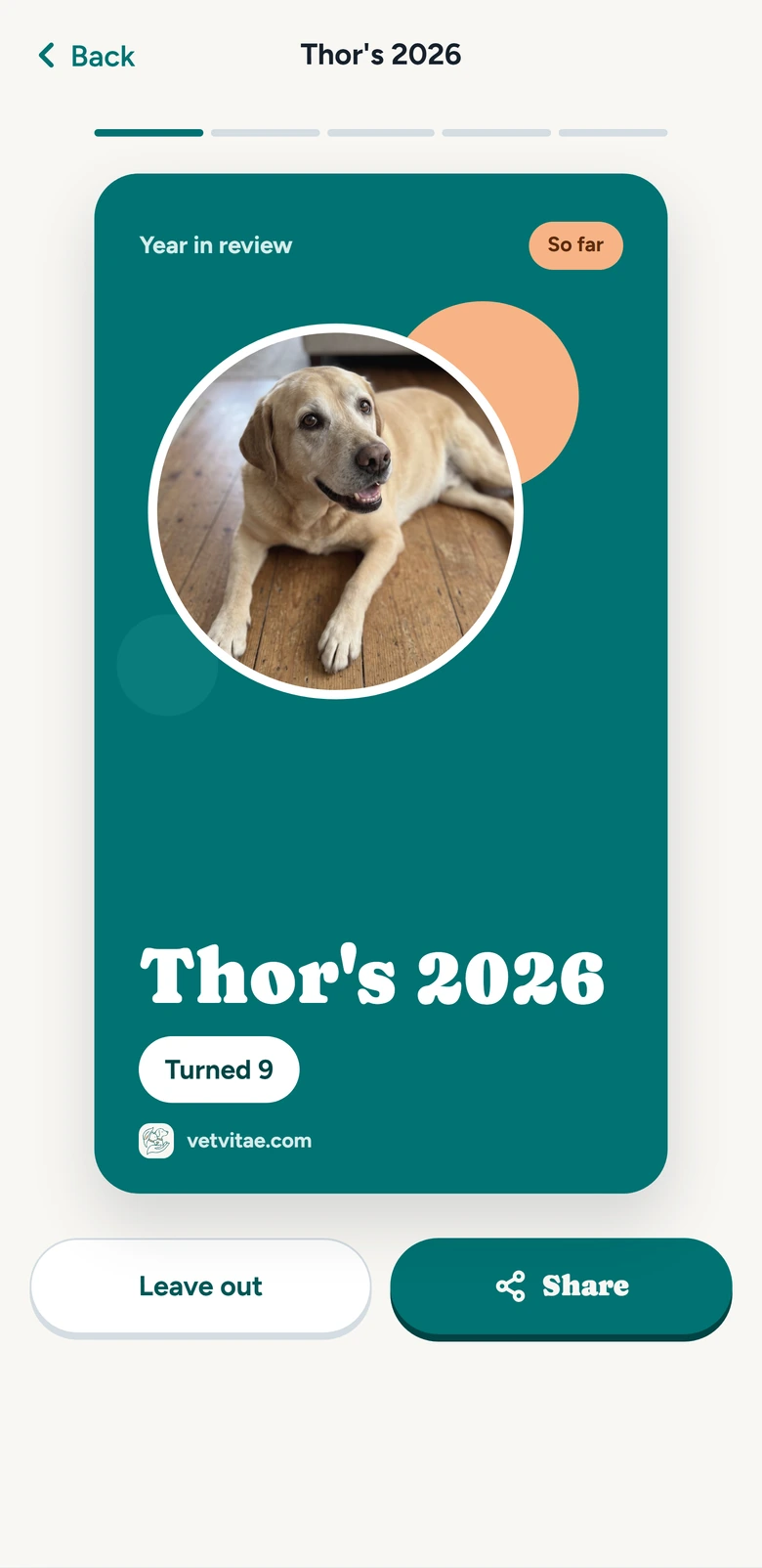
Once a year, each pet gets a recap card from its own record, to keep or share as a story.
The spending report adds up what each pet cost this year, by category, from the costs you already log.
Everything that keeps a health record is free, for any number of pets. Plus adds the extras, and the first 30 days are free.
VetVitae is made by Riquetti Studio, in Brazil, founded by Isabella Riquetti. Questions or ideas go to contact@vetvitae.com, and a person answers. Read the privacy policy.
VetVitae is a free pet health record app for iPhone, iPad, Android and the web, made by Riquetti Studio in Brazil. It keeps each pet's vaccines, medicines, vet visits, exams and weight in one record, reminds you before something is due, and shares the history with your vet through a read-only link.
Cats, dogs, birds, rabbits and other small mammals, reptiles and fish. A flock or a tank can be one pet with a count. Each pet has its own record.
No. They open the link in any browser, with no account. It is read-only, and it stops working when it expires or you turn it off.
Yes. Invite them to a pet as a co-owner. You both see and change everything and get the same reminders. Only the owner can delete a pet or hand it over to a new family.
Vaccines, deworming and flea and tick treatments, medicine doses, appointments, exams, care routines and daily habits. On iPhone and Android it arrives as a notification. On the web it shows in the app's notification list.
Yes. VetVitae is on the App Store for iPhone and iPad. The record is the same on every device, so a family can use an iPhone and an Android phone together.
Yes. Log each dose with its date, brand and lot, and add a photo of the sticker. VetVitae lists every dose in order, dates the next one, and makes a PDF of the vaccination card you can print or send.
Yes. Take a photo of a vaccination card, a prescription or an exam result, and VetVitae fills the entries for you to check and save. Free accounts get 3 scans, and Plus includes 30 scans a month.
Send them a vet link from VetVitae. It opens in any browser, with no account, and shows the whole history, with the files if you include them. You can also download a PDF of the record to email or print.
Your pet's photo and name, and a button to message your family. You choose whether the tag also shows a phone number, allergies, the microchip or a short note. It never shows your name, email, address or your pet's history.
Yes. Open app.vetvitae.com in any browser and sign in with the same account. The record is the same on the computer, iPhone and Android, so you can log a visit on one and see it on the other.
No. It keeps the record and reminds you. It doesn't diagnose, check doses or suggest treatment. Always follow what your vet prescribed.
It is encrypted on the way and where it's stored, and only the people you invite can see it. You can delete a record, a pet or your whole account from Settings.
Every record, reminder, the vet link, the pet tag, co-owners and export are free for any number of pets. Plus adds scans that fill entries for you, the album with On this day, the spending report, the yearly recap and 5 GB of storage instead of 1 GB.
Nothing is deleted. Your moments and files stay, and you can still open, share and export them. Adding new moments and scanning more than the free 3 need Plus again.
English, Brazilian Portuguese, Spanish, French, German, Italian and Japanese, with weight in kg or lb, or in grams for small animals.
Add your pet, log the last vaccine, and you're set up. Use it in your browser, on iPhone or on Android.